
Supplier ordering for venues
Fax and phone orders, on one phone instead.
Pick from the groups you already saved. It splits by supplier and totals it for you, and an order sheet comes out the other end. About three minutes.
Nothing to install. Nothing for your suppliers to do.
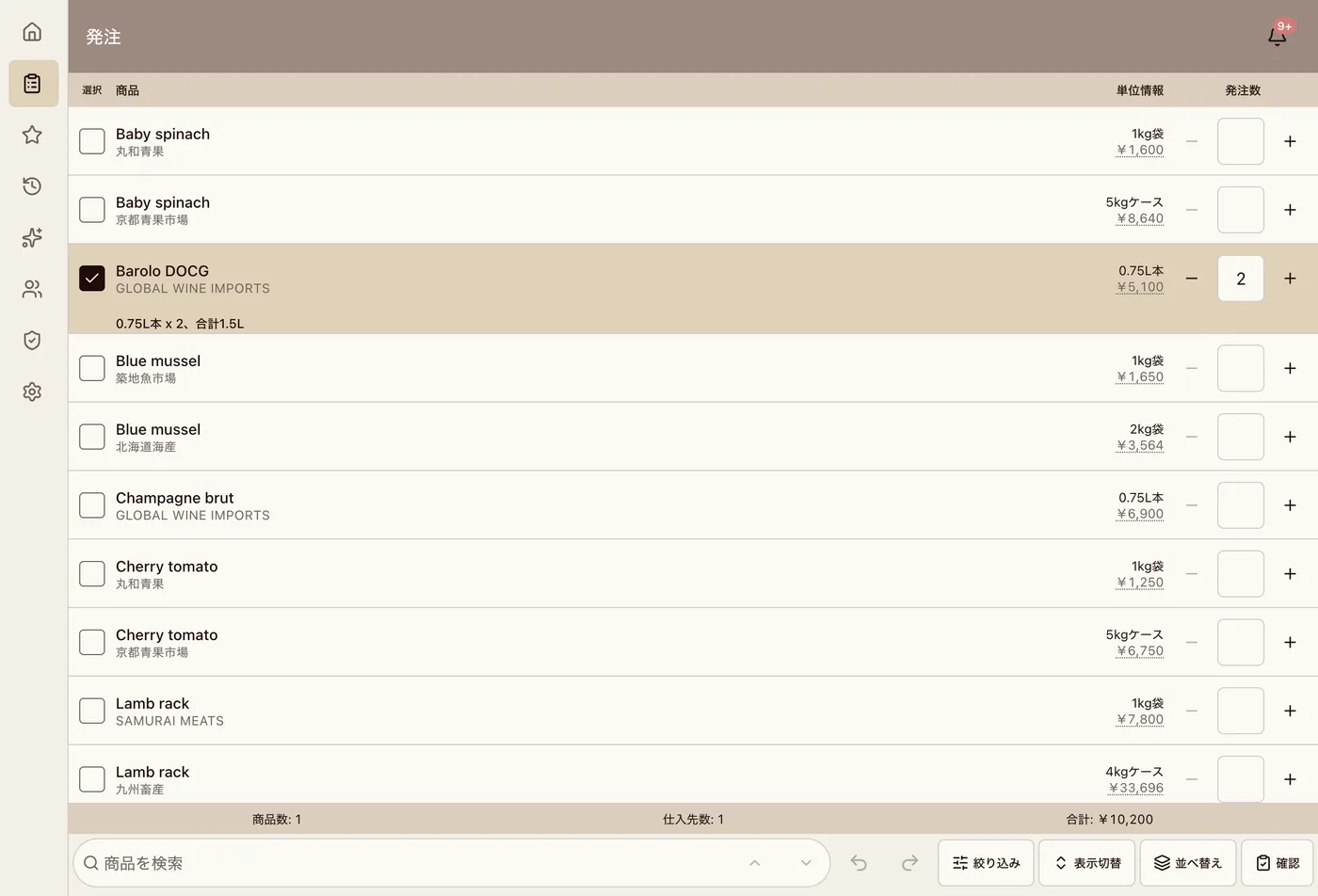
This is the actual product.
Running on a demo venue, Sakura Bistro, with real data in it.
How it works today
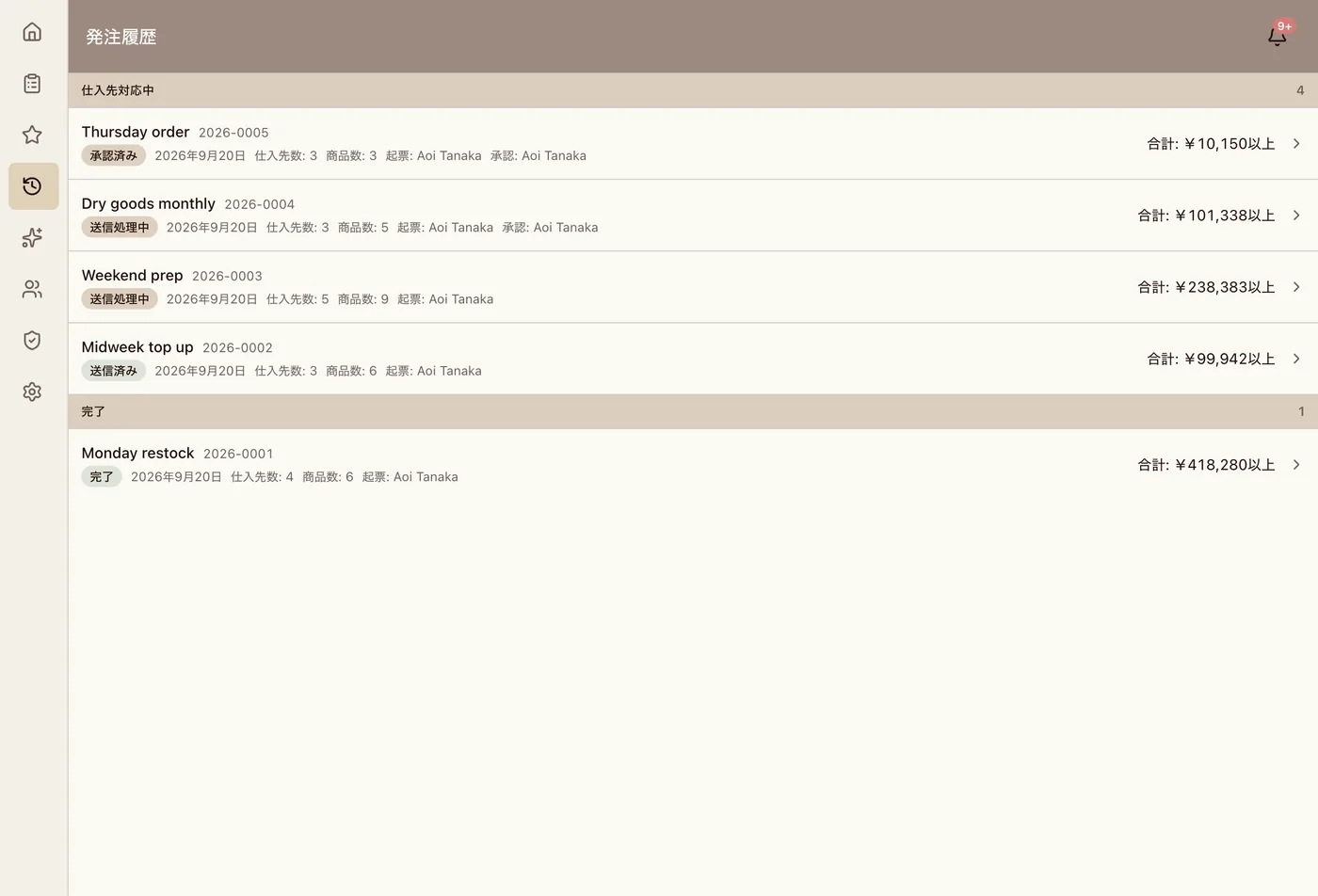
How often does somebody ask who ordered this?
Every supplier takes orders a different way, with a different cut-off and a different delivery day. What was ordered and at what price is known only to whoever placed it. If it costs more than last month, nothing tells you.
The morning order
Open it, send it, three steps.
Open your usual group
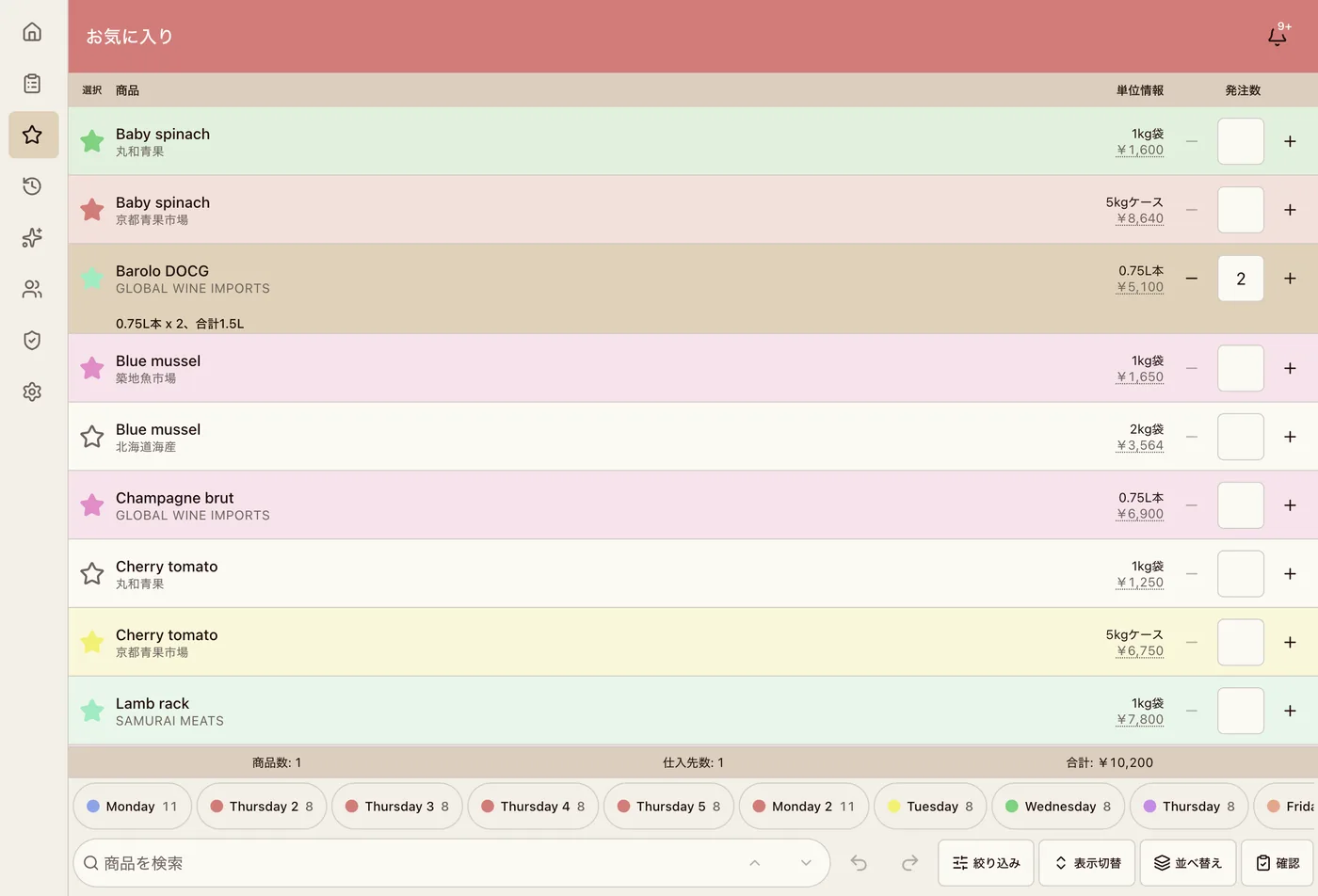
Pick the favourites you saved for that day. No hunting through a catalogue.
Enter quantities
Four 4kg cases is 16kg, and it does that for you. An item with no unit recorded is shown as unknown rather than guessed.
Check it and send for approval
It splits by supplier on its own. Totals, cut-off warnings and minimum order warnings all appear here.
Approval
Nothing gets ordered without you knowing.
Staff build an order and it goes nowhere until a manager approves it. While it waits it can be pulled back and edited. Who raised it and who approved it is kept.
Your suppliers
Your suppliers do not have to do anything.
No app to install, no account to create, nothing to sign. You send orders the same way you send them now. MochaOrder prepares the order sheet for each supplier and keeps the record of what went out.
The moment a system asks your supplier to change, it stops getting used. So it does not ask.
Getting started
The only real work is loading your products.
Honestly, this is the one piece of effort. If your current list can become a CSV, it comes in as a batch, and you see exactly what would be added and changed before anything is written.
What else it does
- Printable order sheets, one page per supplier
- Price history per item, including who entered it and when
- Cut-off, minimum order and delivery day warnings
- Favourite groups shared across venues in the same company
- Permissions per role
- Supplier replies kept against the order they belong to
- Japanese and English
- Phone, tablet and desktop
What it does not do
A list of features alone is not worth trusting, so here is what is missing.
- Predicting what you should order. It does not
- An app for your suppliers. There is not one
- Reading invoices or delivery notes. No
- Stock levels and stocktakes. No
- Accounting integration. No
Fit
Who this suits, and who it does not.
A good fit
- Three or more suppliers
- More than one person placing orders
- It is not always clear who ordered what
- More than one venue
Not a good fit
- One supplier and one person ordering
- You want stock control in the same place
- You want ordering fully automated
Where this is up to
This is early.
We are looking for venues to work with now. It is built by a small team, so what you ask for reaches the people writing it. We will help you get set up. Enquiries answered within one working day.
Price
The price is not set yet.
We are working it out with the first venues to use it. That is not a dodge, it genuinely is not decided. It will not be charged per order.
Questions
Do my suppliers have to do anything?
No. Nothing to install, nothing to sign up for. You send orders the same way you do now.
Does it send the order to the supplier automatically?
Not today. It prepares an order sheet for each supplier. Sending is still yours to do, by fax, phone or message, whatever you use now. The record of it is kept in the app.
Loading all my products sounds like a lot of work.
It is the one real piece of effort. If your list can become a CSV it imports as a batch, and we will help you do it. You see what would change before it is written.
Can staff who are not good with computers use it?
The order screen is choosing items and entering numbers, on a phone. You can also hide prices or withhold approval per role.
What happens when the internet is down?
It will not work. Printing the order sheet in advance is the reliable fallback.
Is data shared between my venues?
Only favourite groups. Products, prices and suppliers stay separate per venue.
How does it handle pack sizes?
Four 4kg cases is 16kg. An item with no unit recorded shows as unknown rather than being guessed at.
What if we want to stop?
You stop. There is no minimum term.
Tell us how you order today.
If it is not a fit we will say so. Nobody is going to chase you.